macOS
Universal .dmg
One file for Apple silicon and Intel Macs. Signed and notarized.
Get it on getartcraft.comPdfCraft is the Acrobat replacement in the open-source ArtCraft suite. Free, no account, and it runs on your computer. Pick your system:
macOS
One file for Apple silicon and Intel Macs. Signed and notarized.
Get it on getartcraft.comWindows
Also a portable .zip, plus 32-bit and ARM64 builds. Code-signed.
Get it on getartcraft.comLinux
Also .deb, .rpm and a tarball, for x86_64 and ARM64.
Get it on getartcraft.comDownload only from getartcraft.com or ArtCraft's GitHub. Every release has a SHA256SUMS.txt file with a checksum for each download. How to check yours ↓
Want the newest build or another format? GitHub's latest release has every file, including FreeBSD and a WebAssembly build you host yourself.
PdfCraft has no phone app yet. To sign, fill in, merge or compress a PDF right now, use LensUp in your browser. Your file never leaves your device.
No upload · No account · Works on phones
Official screenshots from the PdfCraft project. Click one to see it full size.
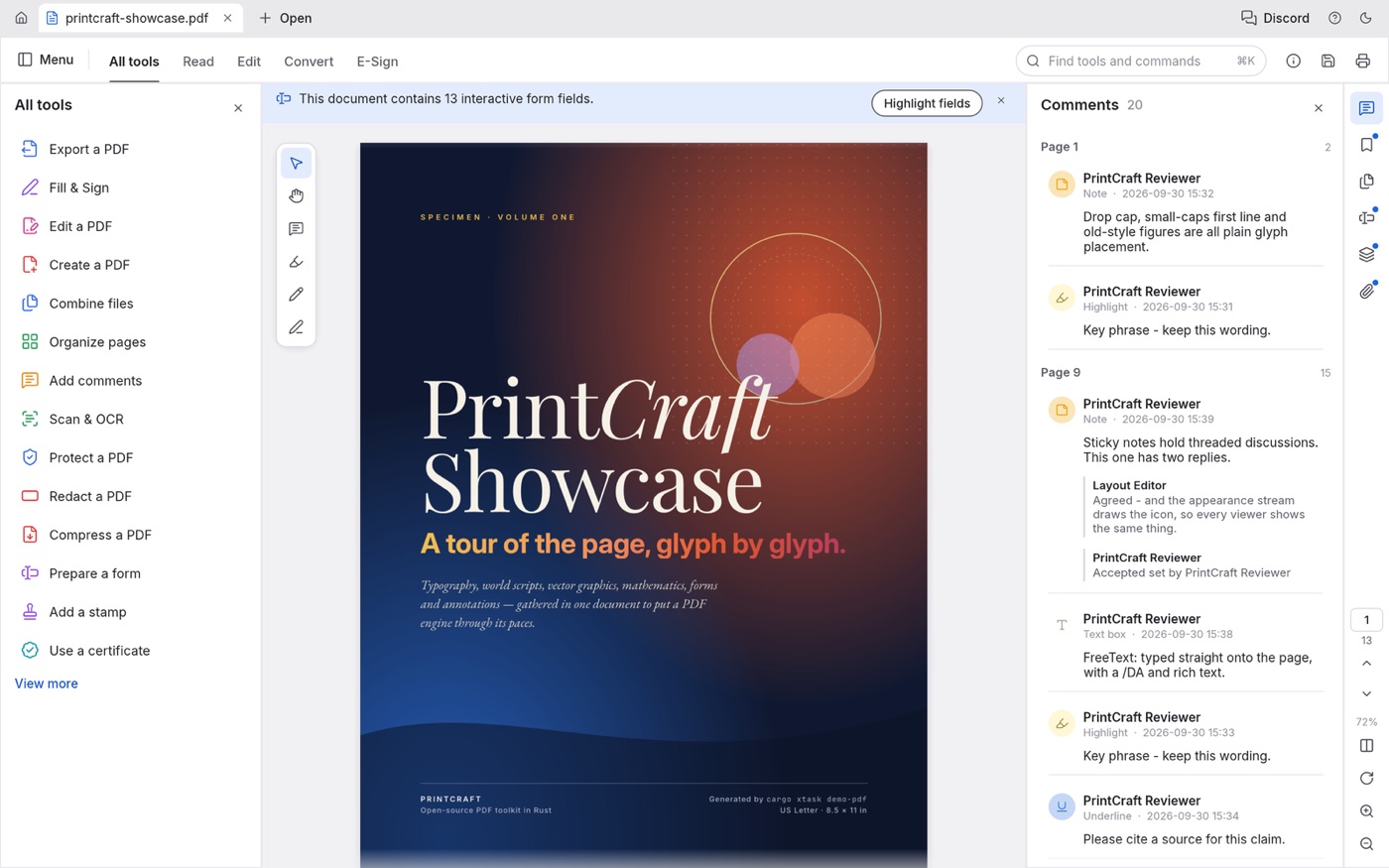
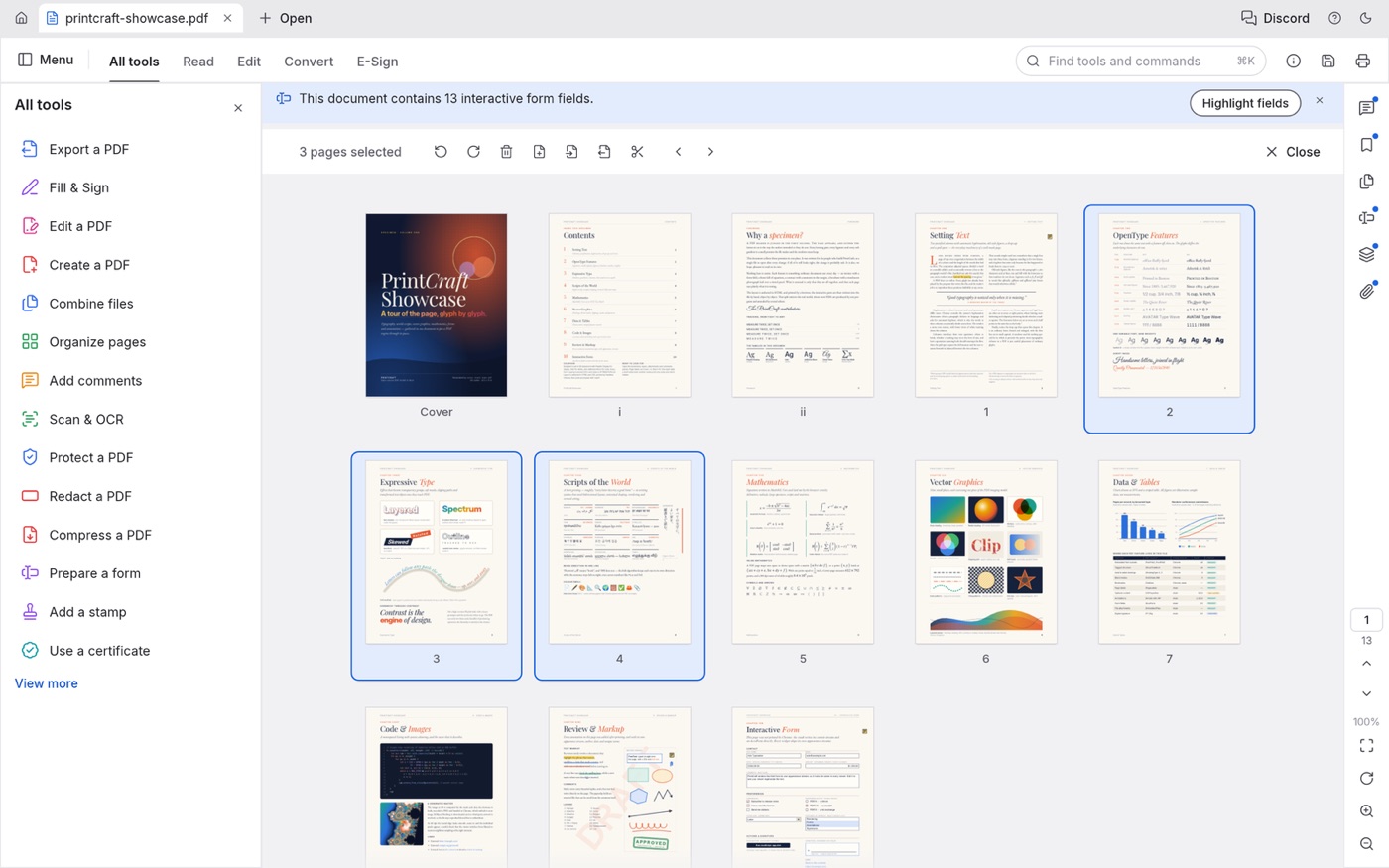
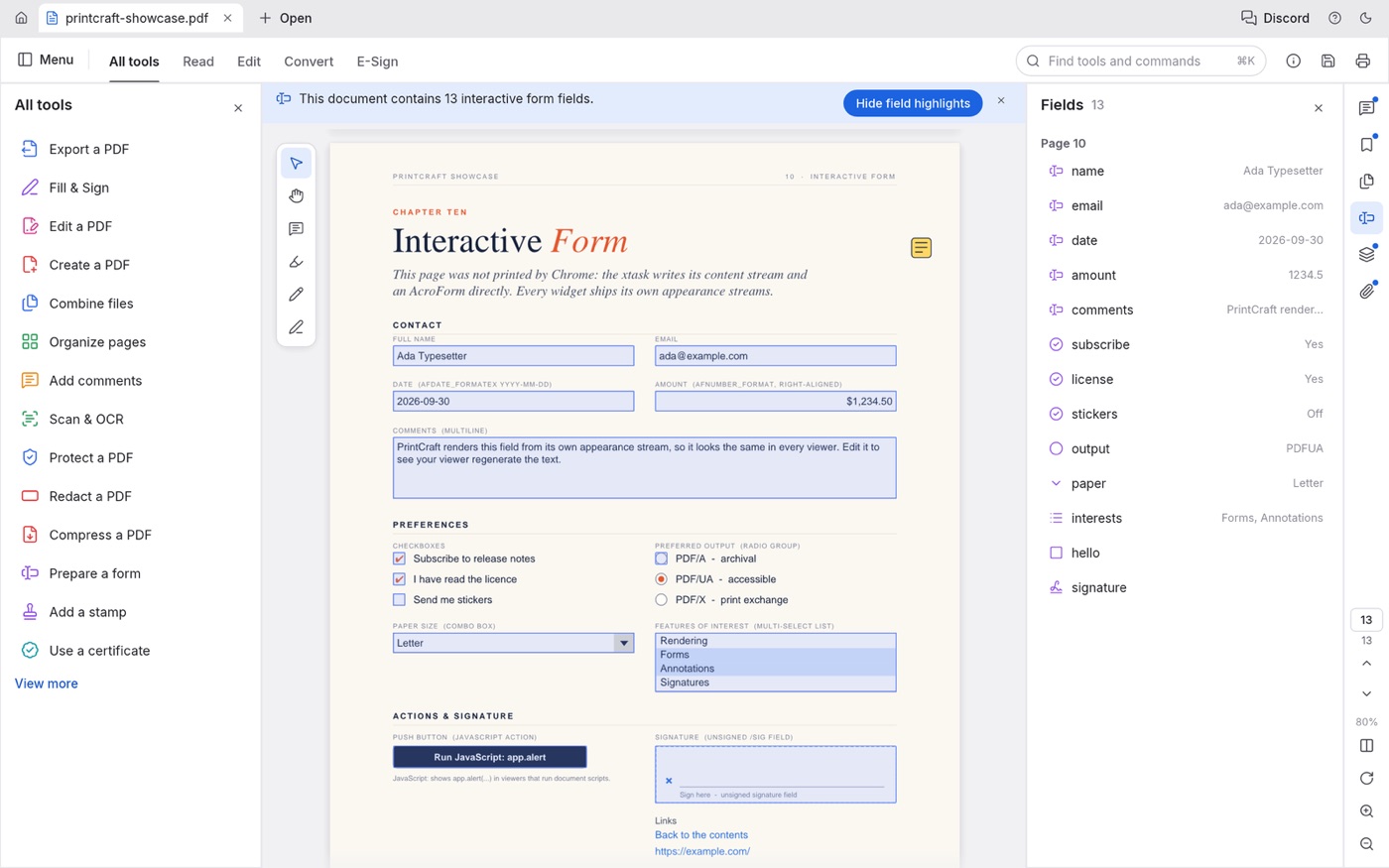
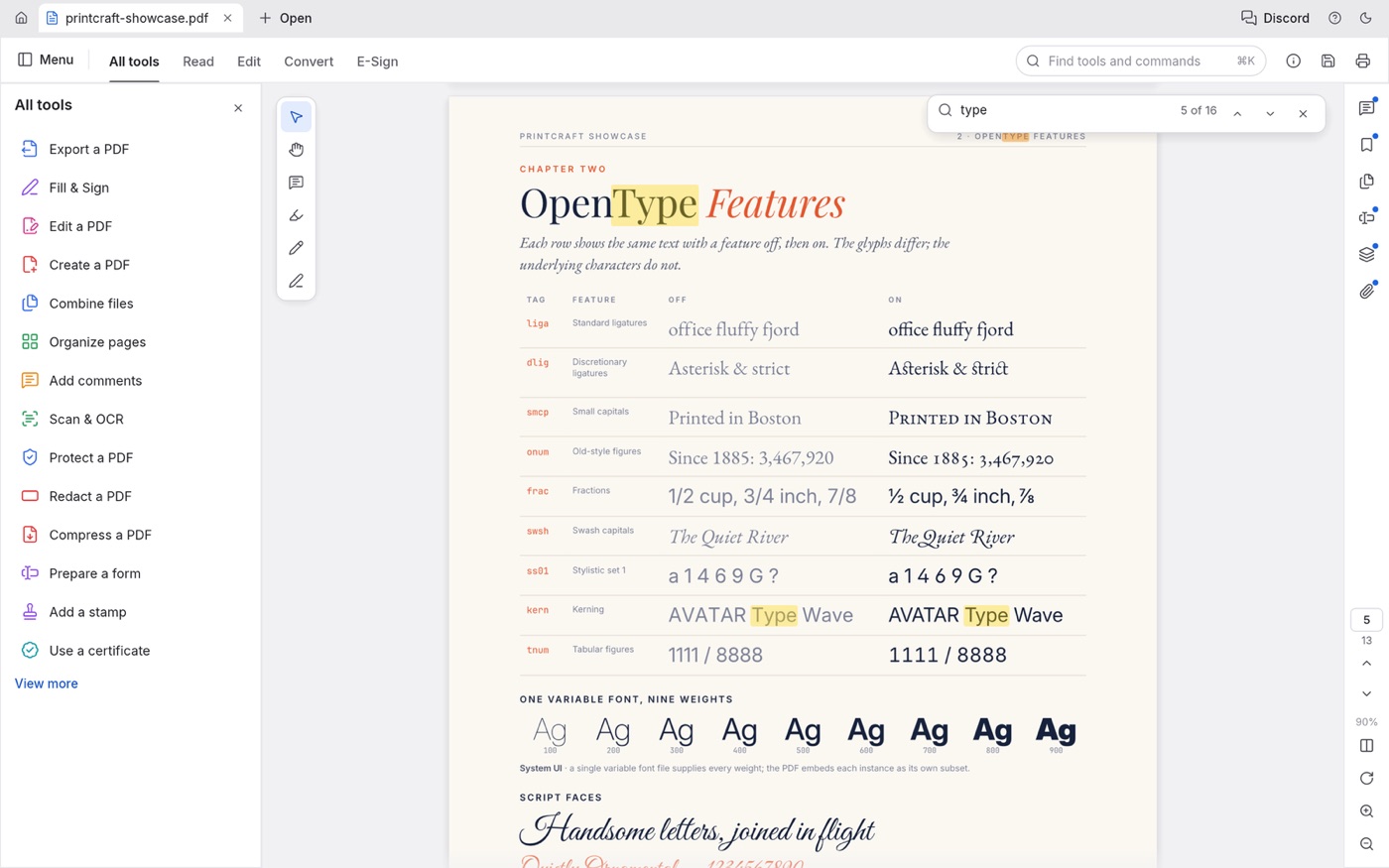
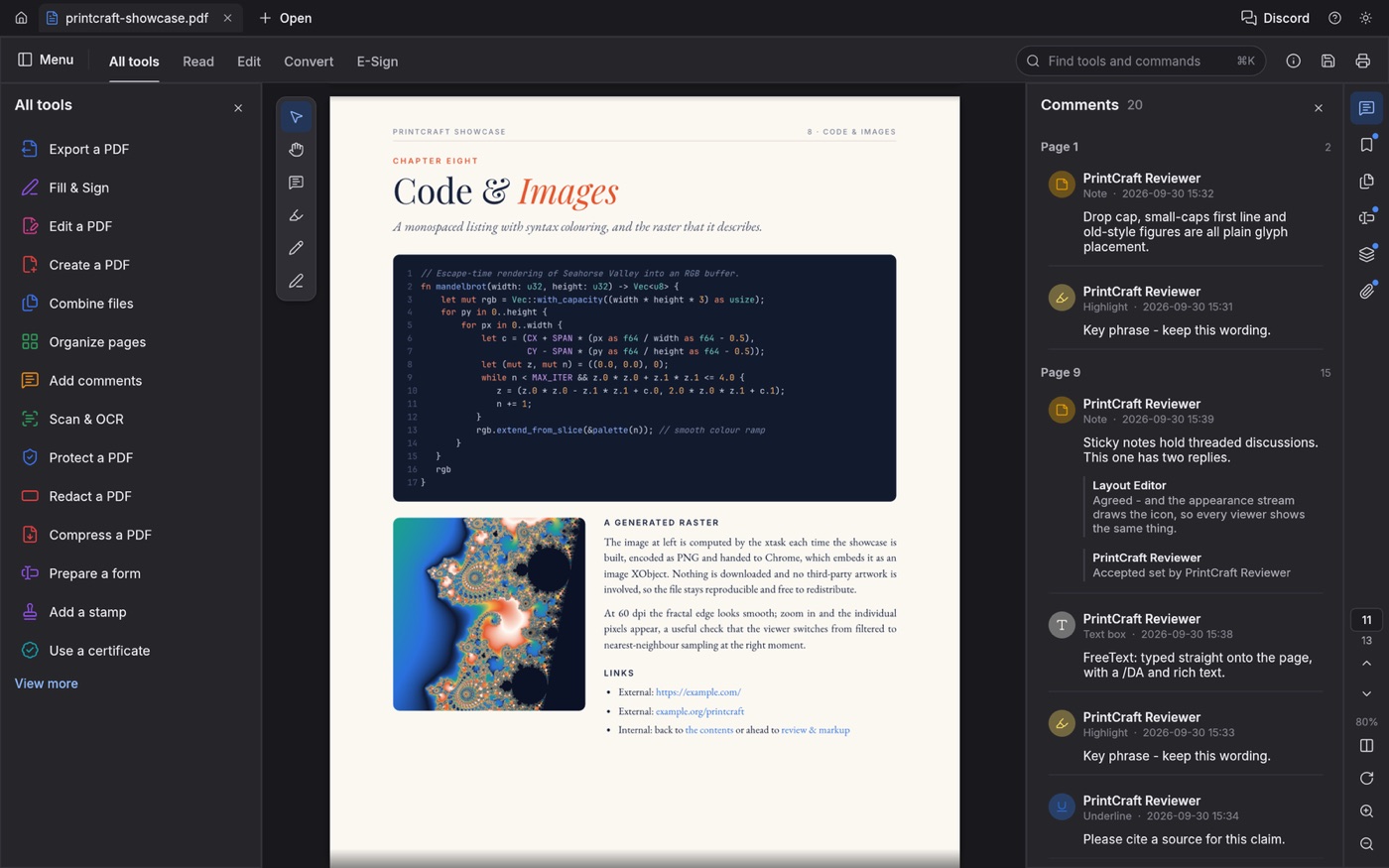
Screenshots: PdfCraft contributors, from its GitHub README (MIT or Apache-2.0).
Based on PdfCraft's own status notes on GitHub and Adobe's Acrobat Pro pages, checked Oct 15, 2026. PdfCraft changes every few days, so check its latest release for news.
Its developers' own estimate (October 2026): about 55% of the way to replacing Acrobat for everyday work, and 66% for someone who only needs the essentials.
| What you need | PdfCraftfree, alpha | Acrobat Propaid | Free in your browser nowLensUp |
|---|---|---|---|
| Read and search PDFs | Yes | Yes | — |
| Rotate, delete and reorder pages | Yes | Yes | — |
| Merge and split PDFs | Yes | Yes | — |
| Open password-protected PDFs | Yes | Yes | — |
| Fill in a form | Yes | Yes | — |
| Highlight, comment and draw | Yes | Yes | — |
| Sign a PDF | Basic basic digital signatures | Yes | — |
| Change text already in the PDF | Not reliable yet | Yes | Not in LensUp either |
| Copy text out of a scan (OCR) | Basic Latin script, no accents yet | Yes | — |
| Word and Office files to and from PDF | Not yet | Yes | — |
| Compress a PDF | Yes Reduce File Size | Yes | Compress to a size you pick → e.g. under 200 KB; pages become images |
| Scan paper with a phone camera | No phone app | Yes, with the Adobe Scan app | Camera scanner → |
| Use it on a phone | No phone app | Yes, mobile app | Works in a phone browser → |
| Price | Free, open source | Paid | Free, no sign-up |
PdfCraft column: the “Where it stands” notes in its GitHub README and its feature-parity docs. Acrobat Pro column: Adobe's Acrobat Pro and plan comparison pages. LensUp is made by the team behind this guide; its tools run in your browser and your files are never uploaded.
A popular free app attracts fake download sites. Three steps keep you on the real thing.
Use getartcraft.com or ArtCraft's GitHub releases. The official page also offers the ArtCraft Launcher, which installs PdfCraft and keeps it up to date.
Open the official download pageRun the command for your system, then find your file in SHA256SUMS.txt from the same release. The two values must match. If they don't, delete the file.
Mac (Terminal)
shasum -a 256 ~/Downloads/[file name]Windows (PowerShell)
Get-FileHash $HOME\Downloads\[file name]Linux
sha256sum ~/Downloads/[file name]The installers are also code-signed: on Windows by Learning Machines Inc, and on Mac by Learning Machines LLC, notarized by Apple.
PdfCraft is an early alpha. Keep your originals safe and open copies until you trust it with your files.
Search for “pdfcraft” and you'll find five different products. This guide covers only the first one.
A desktop PDF editor written in Rust, part of the ArtCraft suite of open-source Adobe alternatives. Mac, Windows, Linux and FreeBSD. Free.
A separate free toolkit of 90+ PDF tools that runs in your browser.
A Windows app in the Microsoft Store for reading and editing PDFs.
An Android app that merges, splits and compresses PDFs offline.
A Python library that pulls text, chapters and tables out of scanned books and papers.
Walkthroughs by YouTube creators. A video loads only when you press play.
FREE Adobe Acrobat Alternative — Meet ArtCraft PDFCraft (2026)
StepByClick
How To Install PdfCraft on Windows
Dexter Tutorials
Try PdfCraft: The Open Source Adobe Acrobat Alternative for Linux!
LinuxHowTo
How Edit PDF Text Using PdfCraft (Free Adobe Acrobat Alternative)
wpguide
FREE Adobe Acrobat Alternative? Meet ArtCraft PDFCraft!
GetConnected Media
PdfCraft Review 2026 – Free PDF Editor? (Install + Import Guide)
Tech Storm
I Tried ArtCraft’s Free Adobe Alternatives
The Average Tech Dad
ArtCraft: Free Adobe Alternative, But Can You Trust It?
Glyn Dewis
Answers checked on Oct 15, 2026.
Yes. It's free and open source under the MIT or Apache-2.0 license, with no account, no telemetry and no cloud.
No. PdfCraft is made by ArtCraft, a project founded by developer Brandon Thomas. Its README says it is independent and not affiliated with, sponsored by or endorsed by Adobe.
Not fully yet. Its developers estimate it is about 55% of the way there for everyday work and 66% for someone who only needs the essentials. Converting to and from Word and other Office files is the weakest area.
Get it only from getartcraft.com or ArtCraft's GitHub, and check the SHA-256 as shown above. The installers are code-signed, and the Mac app is notarized by Apple. It's an early alpha, so try it on copies of your files first.
Not yet. There are builds for Mac, Windows, Linux and FreeBSD, plus a web build you have to host yourself. The “PDFCraft” app on Google Play is a different product. To work on a PDF on your phone now, use a browser tool such as LensUp's PDF editor.
Not reliably yet, especially in Chinese, Japanese, Korean and right-to-left scripts; its developers list it as a gap they plan to fix. LensUp's PDF editor can't change existing text either, but it can add new text, signatures and pictures.
Yes, for Latin-script text without accents: its Scan & OCR tool comes with the release builds. Accented letters and other scripts aren't supported yet.
Yes. Its comment tools include highlights, shapes, ink and text boxes. On a phone, LensUp's PDF editor lets you add shapes, highlights and marks in your browser.
No. Its README says documents never leave your machine: there's no account, no telemetry and no cloud processing.
Looking for the other ArtCraft apps?
See which app replaces Photoshop, Premiere and more